Configure HTTP Payload and Debug Message size
Back to the Changelog
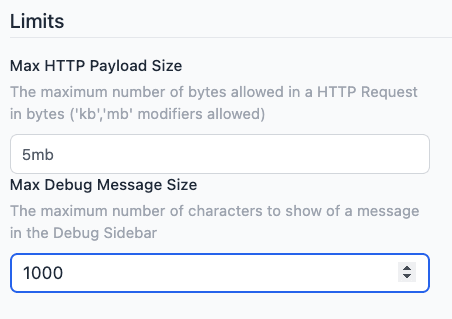
We've introduced new configuration options to enhance the control of your HTTP requests and debugging process. These updates allow you to configure limits on the sizes of incoming HTTP messages and how many characters of a message are included in debug messages in the editor sidebar.
This feature is available to all our Teams and Enterprise Tier customers. You can access these new configuration options in the Instance Settings under the "Editor" menu.
Written By:
Product Manager
Published on:
Recent Updates:
- Hosted Instances know their own URL
- Richer snapshot comparison view
- View Snapshot Details in the Immersive Editor
- Developer Mode Now Accessible from the Immersive Editor
- Azure DevOps Pipeline support